Pucire – Powerpoint Template for Confident Presentations
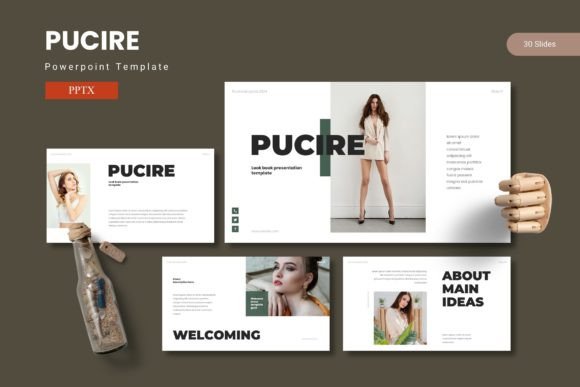
Putting together a presentation that actually holds attention is harder than it looks. You might have the data, the ideas, and the vision—but if the slides feel flat or cluttered, your message gets lost. That is where a well-designed template changes the game. Pucire is a PowerPoint template built to help you share your ideas with confidence, using slides that combine data, graphics, and impactful content in a visually stunning way. It gives you a head start with layouts that feel polished without requiring hours of design work.
What Makes Pucire Different from Ordinary Templates
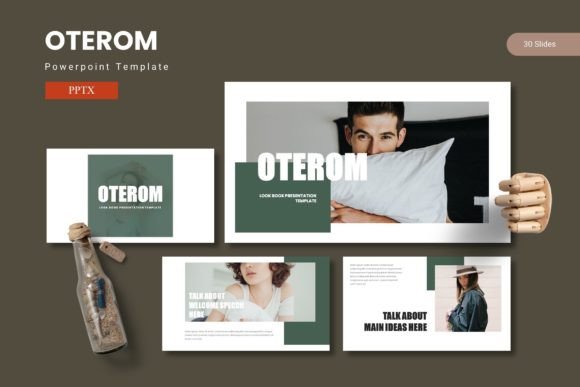
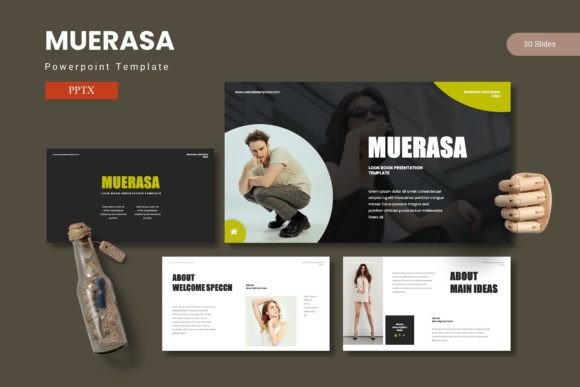
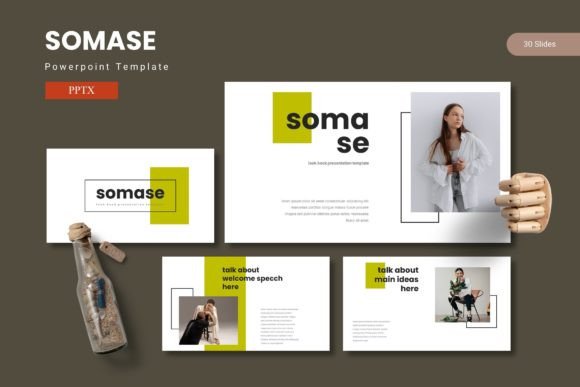
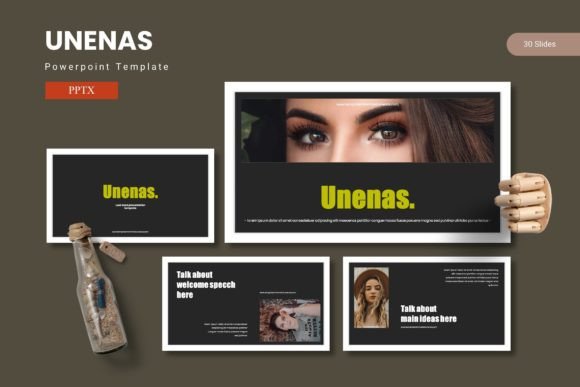
Most PowerPoint templates give you a handful of slides and call it a day. Pucire takes a more complete approach with 150 total slides organized across 5 premade color variations. That means you get 30 slides for each template section, so you are never stuck reusing the same layout over and over. The section break slides help you transition between topics smoothly, giving your presentation a professional flow that keeps viewers engaged.
Everything is built on master slides, which makes global edits effortless. Change a color or font once, and it updates across your entire deck. The handcrafted infographics are pixel-perfect and fully resizable, so you can tweak them to fit your exact needs. Picture placeholders let you drag and drop images without distorting the layout. If you work with portfolios or galleries, dedicated slide types are already there waiting for you.
Five Colors, Endless Possibilities
Color choice influences how people perceive your content. Pucire includes 5 complete color schemes in the main file, so you are not locked into one look. Whether you are presenting to a corporate board, teaching a class, or pitching a creative project, you can pick the palette that fits the mood. The dark and light variations give you flexibility for different screen settings and room lighting conditions. Having options upfront saves you the trouble of manually recoloring every element later.
Who Benefits Most from This Template
Entrepreneurs pitching to investors need slides that look credible without screaming for attention. Marketers presenting campaign results want clean charts and data visualizations that tell a story. Educators and trainers appreciate layouts that break down complex ideas into digestible visuals. Freelancers and small business owners who do not have a design team can still produce decks that look like they were professionally built. Bloggers creating visual content for online courses or webinars will find the gallery and portfolio slides especially useful. Hobbyists who simply enjoy making attractive slide decks for community events or personal projects will appreciate how little effort it takes to get professional results.
Practical Use Cases for Everyday Situations
Imagine you are a small business owner preparing a quarterly review for your team. With Pucire, you can pull in your sales data, drop it into the handcrafted infographic slides, and have a clear visual story ready in under an hour. The section break slides help you move from financial performance to operational updates without jarring transitions.
If you are a freelancer pitching a brand strategy to a new client, the portfolio and gallery slides allow you to showcase your work samples elegantly. Drag and drop your images into the placeholders, and the layout stays crisp. No wrestling with text boxes or worrying about alignment.
For educators creating course materials, the template structure supports everything from lecture outlines to case study breakdowns. The consistent color schemes across all 30 slides per section mean students can follow along without visual distractions. You can focus on the teaching while the design handles itself.
What Is Included in the Main File
The main file contains 5 PPTX items from PowerPoint, each with 30 slides. That gives you 150 unique slide layouts across the bundle. The folder also includes a readme file with font and photo information, so you know exactly what resources are needed. Everything is based on master slides, meaning the template is built for efficiency. You can resize and edit all graphics without losing quality. The illustrations are pixel-perfect and remain sharp whether you are presenting on a laptop screen or a large projector.
Things to Consider Before You Start
Pucire works best when you have a clear idea of your content structure. While the template provides plenty of variety, taking a few minutes to plan your slide sequence will help you get the most out of the section break slides and portfolio layouts. The drag-and-drop picture placeholders are forgiving, but using high-resolution images will ensure your visuals look their best on big screens.
Fonts are an important part of any presentation. Check the readme file for font recommendations before you begin editing. If you do not have the fonts installed, PowerPoint will substitute with defaults, which may shift the layout slightly. Installing the recommended fonts keeps everything looking exactly as intended.
Because the template comes with 5 color variations, you might feel tempted to mix and match within a single deck. Sticking to one color scheme per presentation usually creates a more cohesive experience. You can always duplicate the file and apply a different scheme for a different audience later.
Why Handcrafted Infographics Matter
Data without context is just numbers. Infographics turn raw information into something your audience can grasp quickly. Pucire includes handcrafted infographics that are not just decorative—they are designed to convey meaning. The charts and diagrams are fully editable, so you can adjust the data points, labels, and styling to match your content. This is especially useful for marketers, analysts, and educators who rely on data storytelling to make their points stick.
Master Slides Save You Time
Master slides are a PowerPoint feature that lets you apply changes across your entire presentation at once. Pucire leverages this to make customization fast. If you decide to change the accent color or heading style midway through your project, you only need to update the master slide. Every slide built from that master will reflect the change automatically. This is a small detail that saves a surprising amount of time when you are refining a deck up to the last minute.
Getting Started with Pucire
Open the PPTX file in PowerPoint and browse the slide layouts. Pick the ones that match the sections of your presentation. Use the section break slides to introduce new topics. Drop your images into the picture placeholders—they are designed to keep proportions correct without manual cropping. Type your text into the provided fields, and adjust the infographics to reflect your own data. The whole process feels intuitive because the template was built with real user workflows in mind.
If you are new to working with templates, the readme file is a good place to start. It explains the color variations and font requirements. The folder structure is straightforward, so you will not waste time hunting for the right file.
The Value of a Cohesive Presentation
A presentation that looks disjointed undermines your credibility. Pucire gives you consistency across all 150 slides, so every page feels like part of the same story. The 5 color schemes let you tailor that consistency to different contexts without starting from scratch. Whether you are pitching a product, teaching a class, or sharing a personal project, the visual harmony of your slides reinforces your message instead of competing with it.
For professionals and creators who regularly prepare presentations, having a dependable template reduces stress and frees up mental energy for the content that actually matters. Beginners will appreciate not having to learn design principles before they can produce something presentable. Casual users can jump in and see results immediately without a steep learning curve.
Pucire bridges the gap between wanting a great presentation and being able to build one quickly. It respects your time while delivering visual quality that makes your ideas stand out.